A modern social media scheduler for creators, agencies, and teams to plan and publish content across 10 platforms from one dashboard.

Sponsored
CoveragePush.com
Get featured on 500+ high-authority publications. Boost your brand visibility and domain authority.

Sponsored
Testimly.com
Send one link to your customers. Get video and text reviews on autopilot.

Sponsored
supastarter.dev
The Next.js boilerplate to build production-ready SaaS apps fast.
Submit your website to get discovered by thousands of potential customers and boost your SEO.
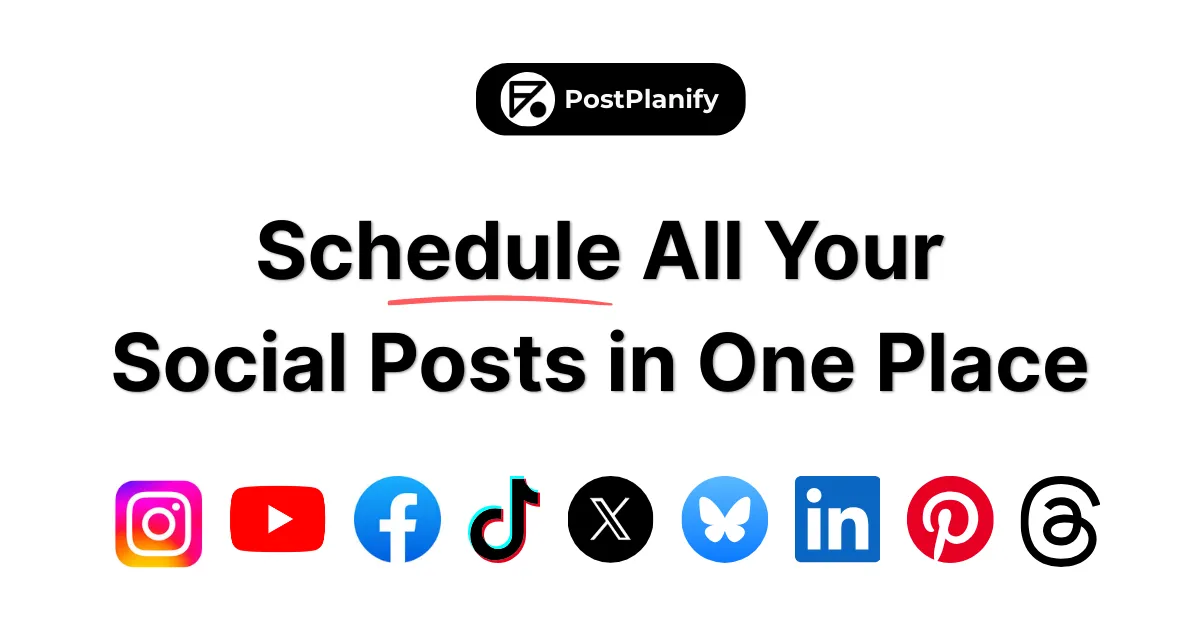
Get ListedPostPlanify is a comprehensive social media management platform designed to streamline content scheduling, analytics tracking, and team collaboration across multiple social networks. The product positions itself as an all-in-one solution for creators, agencies, and teams who need to manage social media presence efficiently without the complexity and high costs associated with enterprise tools. In a market dominated by established players like Hootsuite and Buffer, PostPlanify differentiates itself through founder-led customer support, rapid feature implementation based on user feedback, and transparent pricing without per-seat fees. The platform addresses the pain points of juggling multiple platforms, managing client accounts, and maintaining consistent posting schedules—common challenges for social media professionals and businesses scaling their online presence. With support for 10 major platforms including Instagram, X (Twitter), Facebook, LinkedIn, YouTube, TikTok, Threads, Pinterest, Bluesky, and Google Business, PostPlanify aims to consolidate social media workflows into a single, intuitive dashboard.
Content Calendar – A centralized drag-and-drop calendar allows users to plan, edit, and reschedule posts across all connected platforms from one interface. The visual calendar provides an overview of scheduled content, making it easy to maintain consistent posting schedules and avoid conflicts. Users can manage multiple workspaces for different clients or projects, with the ability to preview posts before publishing.
Advanced Analytics – The platform offers detailed performance tracking across all connected social accounts, providing insights into engagement, growth, and content effectiveness. Analytics include metrics for individual posts and overall account performance, helping users identify what content resonates with their audience. The system supports white-label PDF reports for agencies to share with clients, making it suitable for professional service delivery.
Social Inbox – All comments and messages from connected platforms are consolidated into a single inbox, enabling teams to respond, label, and assign conversations efficiently. The feature includes AI-assisted response suggestions to help teams reply faster while maintaining brand voice. This centralized communication hub reduces the need to switch between different platform interfaces for community management.
Team Collaboration – PostPlanify supports unlimited team members across all pricing tiers, eliminating per-seat fees that are common in competing platforms. Teams can use shared calendars, approval workflows, and role-based permissions to coordinate content creation and publishing. The collaboration features are particularly valuable for agencies managing multiple client accounts with distributed teams.
AI Assistant – Built-in artificial intelligence helps users generate captions, create images, and improve content quality. The AI capabilities include generating post ideas, optimizing hashtags, and creating visual content through integration with Canva templates. This feature aims to reduce the time spent on content creation while maintaining quality and relevance.
Media Library – A centralized storage system for brand assets allows teams to organize, store, and reuse images, videos, and other media across campaigns. The library integrates with external services like Canva, Google Drive, and Dropbox, enabling seamless import of existing assets. This eliminates the need to download and re-upload media when creating scheduled posts.
Link in Bio – Users can create customized landing pages with multiple links, styled to match their brand identity. This feature provides a single destination for all important links that can be shared across social profiles. The link pages are fully customizable and can be updated without changing the main link in social bios.
The user journey begins with signing up for a 7-day free trial that doesn't require credit card information. After registration, users connect their social media accounts through official platform APIs—a process that typically involves authorizing PostPlanify to access each account. Once accounts are connected, the dashboard presents a unified view of all social profiles with the main content calendar as the central workspace. Users can create posts by selecting target platforms, uploading media from the integrated library or external sources, writing captions (with optional AI assistance), and scheduling publication times. The platform offers bulk scheduling capabilities for planning content in advance, along with features like "best time to post" recommendations based on audience engagement patterns. For teams, the workflow includes assigning tasks, requesting approvals through built-in workflows, and collaborating on post drafts before scheduling. The social inbox consolidates all incoming interactions, allowing team members to respond directly from the platform while maintaining conversation history. Analytics are automatically tracked for all published content, with detailed reports available for performance review and client presentations.
Digital Marketing Agencies – Agencies managing multiple client accounts can use PostPlanify to organize each client in separate workspaces, maintain consistent posting schedules across platforms, and generate white-label reports for client presentations. The unlimited team member feature allows entire agency teams to collaborate without additional per-seat costs, while approval workflows ensure content quality control before publishing.
Solo Creators and Influencers – Individual content creators who manage personal brands across multiple platforms benefit from the unified scheduling calendar and AI-assisted content creation tools. The platform helps maintain posting consistency without requiring manual posting across different apps, while analytics provide insights into what content performs best with their audience.
Small Business Marketing Teams – Small to medium businesses with limited marketing resources can use PostPlanify to coordinate social media efforts across departments. The shared calendar and team collaboration features enable multiple stakeholders to contribute to content planning, while the social inbox ensures timely responses to customer inquiries across platforms.
Enterprise Social Media Managers – Large organizations with complex approval processes and multiple brand accounts can leverage the platform's role-based permissions, approval workflows, and advanced analytics. The API access allows integration with existing marketing technology stacks, while custom enterprise plans offer dedicated support and onboarding.
Content Teams at Media Companies – Publishers and media organizations producing high volumes of social content can utilize bulk scheduling features and media library organization to streamline their workflow. The platform's ability to handle large posting volumes (as evidenced by testimonials mentioning 95 posts per day) makes it suitable for high-frequency publishing requirements.
PostPlanify offers four pricing tiers with annual billing discounts providing approximately 17% savings. The Starter plan at $24/month (billed annually) includes 5 social accounts, 200 posts per month, 1 user, basic analytics, and 100 AI images monthly. The Growth plan at $39/month (billed annually) is the most popular option, offering 10 social accounts, unlimited posts, 1 user, advanced analytics, social inbox, and 200 AI images monthly. The Premium plan at $79/month (billed annually) expands to 25 social accounts, 5 users, white-label reports, approval workflows, and 400 AI images monthly. Enterprise plans offer custom pricing with unlimited users and accounts, 1:1 onboarding, private WhatsApp support, and 800 AI images monthly. All plans include unlimited workspaces, AI assistant, custom integrations with Google Drive/Canva/Dropbox/Unsplash, post queue, hashtag manager, link in bio, and API access. Compared to competitors, PostPlanify's pricing is competitive, particularly with its unlimited team members feature that eliminates per-seat fees common in enterprise tools. The 7-day free trial without credit card requirement and 14-day money-back guarantee provide low-risk testing opportunities.
PostPlanify presents a compelling alternative to established social media management platforms by combining comprehensive feature sets with founder-led responsiveness and transparent pricing. The platform's strengths lie in its multi-platform support, unlimited team collaboration, AI-assisted content creation, and robust analytics—all packaged in an intuitive interface suitable for both beginners and experienced social media professionals. The emphasis on rapid feature implementation based on user feedback and direct founder accessibility addresses common frustrations with larger, slower-moving competitors. However, the platform may face challenges scaling to meet the needs of very large enterprises accustomed to more extensive integration ecosystems and dedicated account management. For agencies, small to medium businesses, and serious creators, PostPlanify offers excellent value with its generous team allowances and comprehensive toolset. The platform is particularly well-suited for users who prioritize responsive support and continuous product improvement over brand recognition. While it may not yet match the market dominance of industry giants, PostPlanify's focused approach and customer-centric development make it a strong contender worth serious consideration for anyone managing social media at scale. Explore the pricing plans for detailed comparisons, check out the feature breakdown for capabilities, or review the API documentation for integration possibilities.